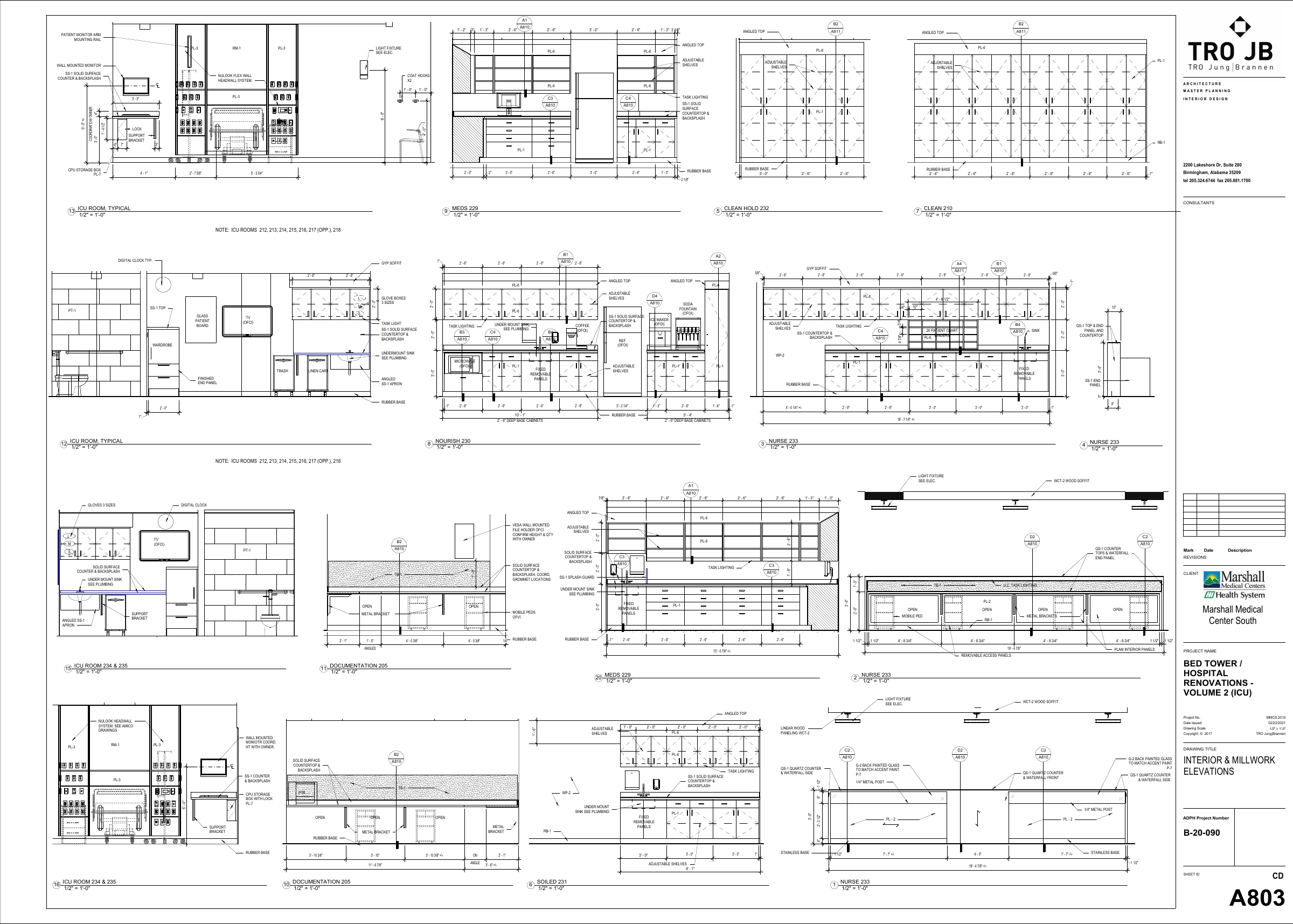
 Open source sheet ↗
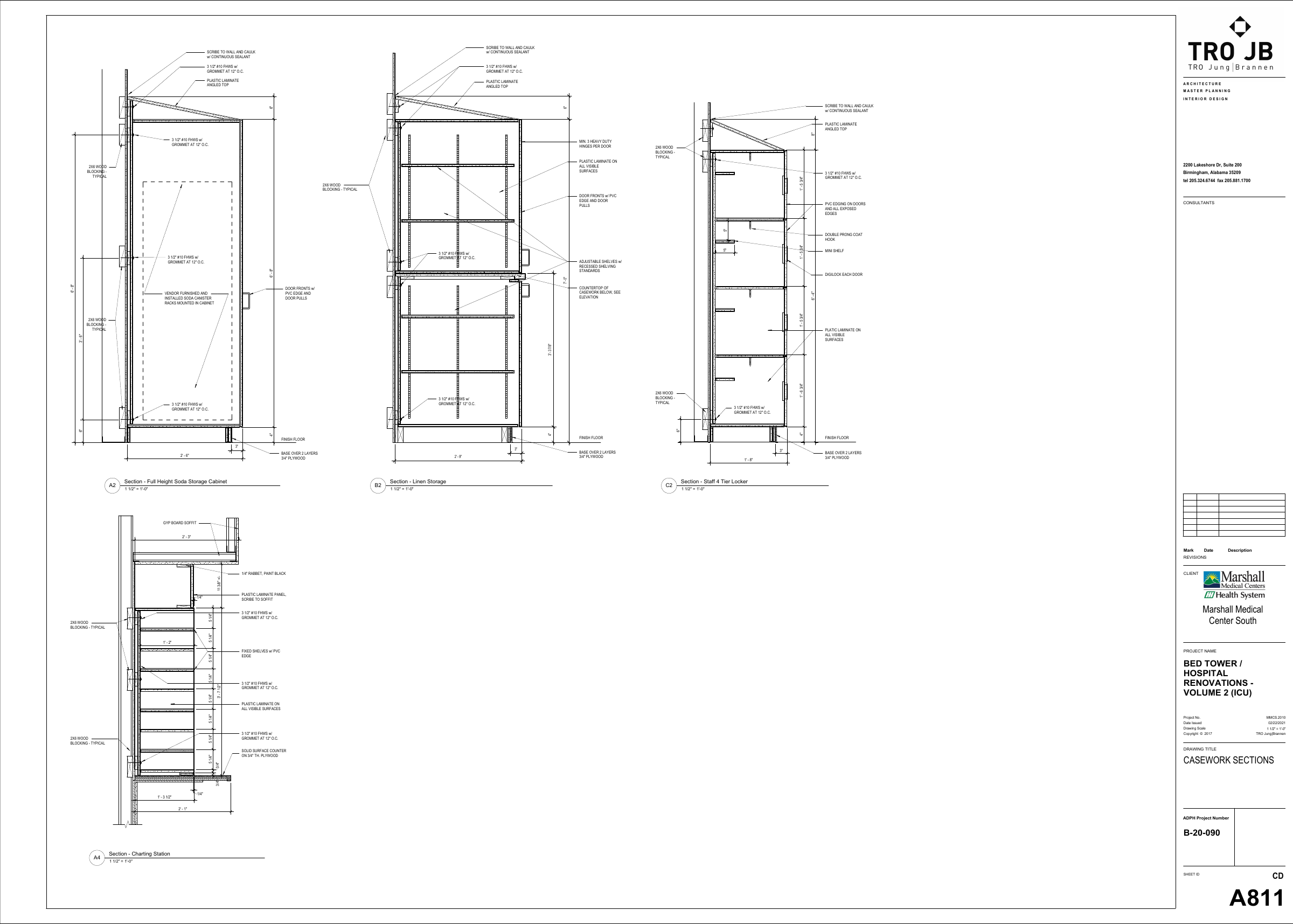 Open source sheet ↗
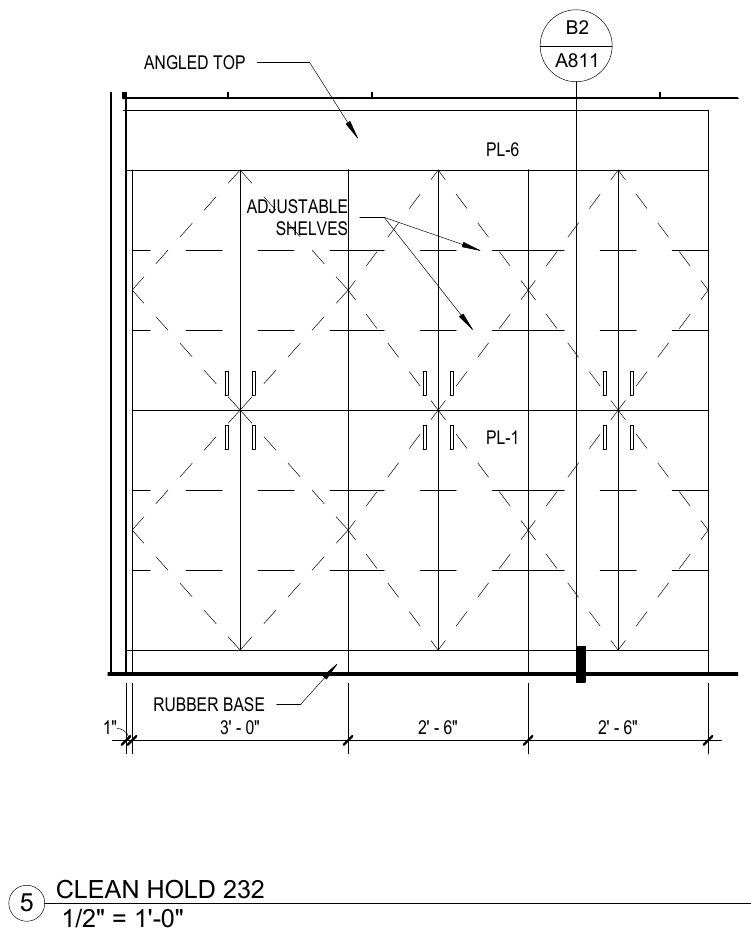
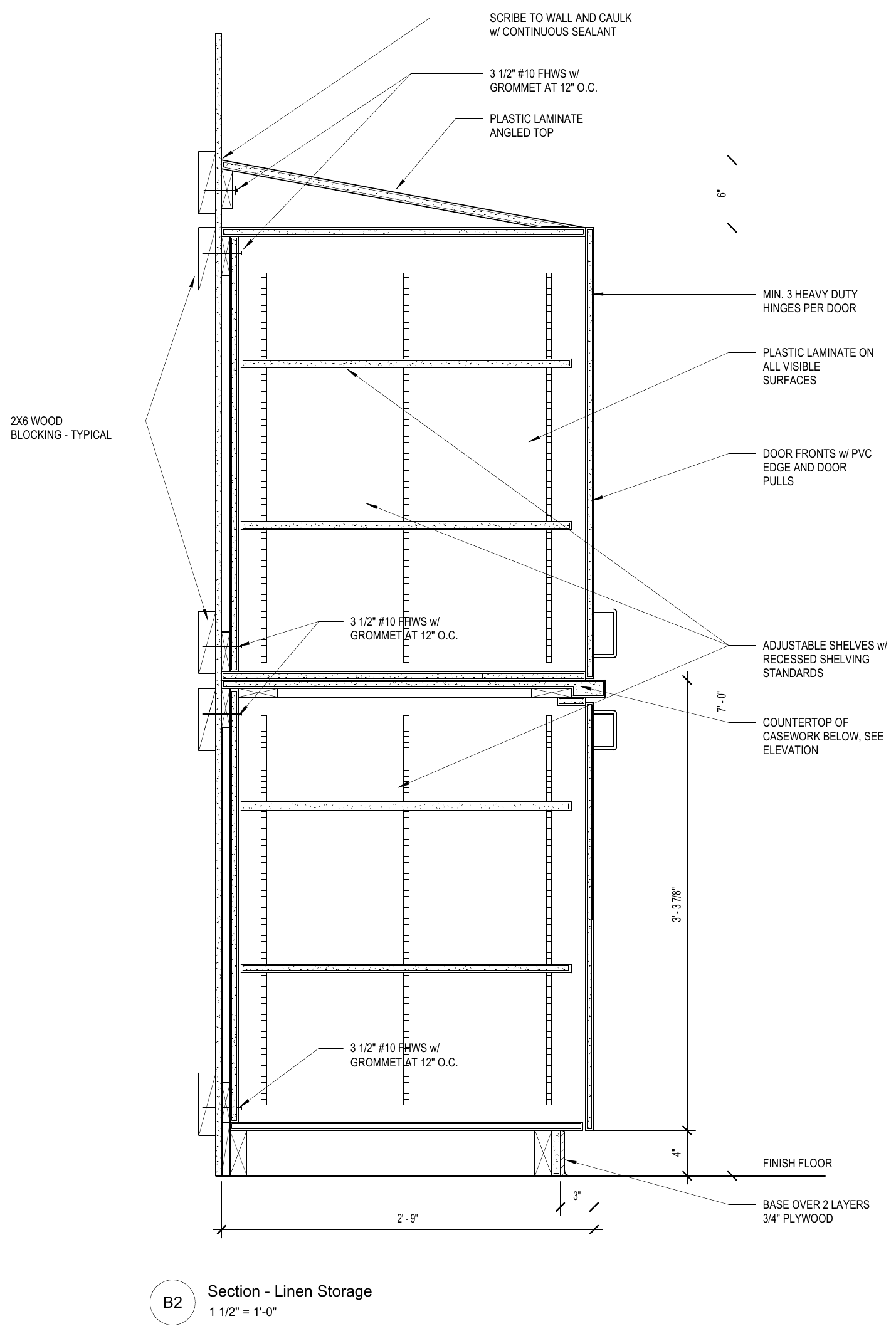
Plan → Elevation
Find or add the missing Callout.
Review the marker’s position, direction, and target. Correct the references that determine which drawings belong to each Room.
AI takeoff & estimating / Commercial casework
DeepTakeoff locates and crops the relevant drawings, connects their Callouts, and builds the takeoff from construction and specification evidence. It assigns the work to Rooms and applies your shop’s pricing, with the source and controls to review the result.
Find individual drawings across the sheets.
Identify the evidence for the millwork bid.
Follow the printed Callout to its source.
An Elevation and its governing Section
DeepTakeoff matches Section references across sheets and uses the governing drawing when interpreting a run. Its takeoff accounts for details such as shelf supports, door hardware, edge treatment, and base construction. The source views below show the kind of connected evidence it works from.
What you can trace: source → construction → location → priced scope
Explore drawing intelligenceSupply scope
DeepTakeoff distinguishes the components you supply from adjacent work by others. It carries that supply scope into the takeoff, price, and customer documents.
It accounts for the top over a GC-built knee wall, the laminate shelf beside wire shelving, and the valance surrounding another trade’s lighting.
Explore supply scope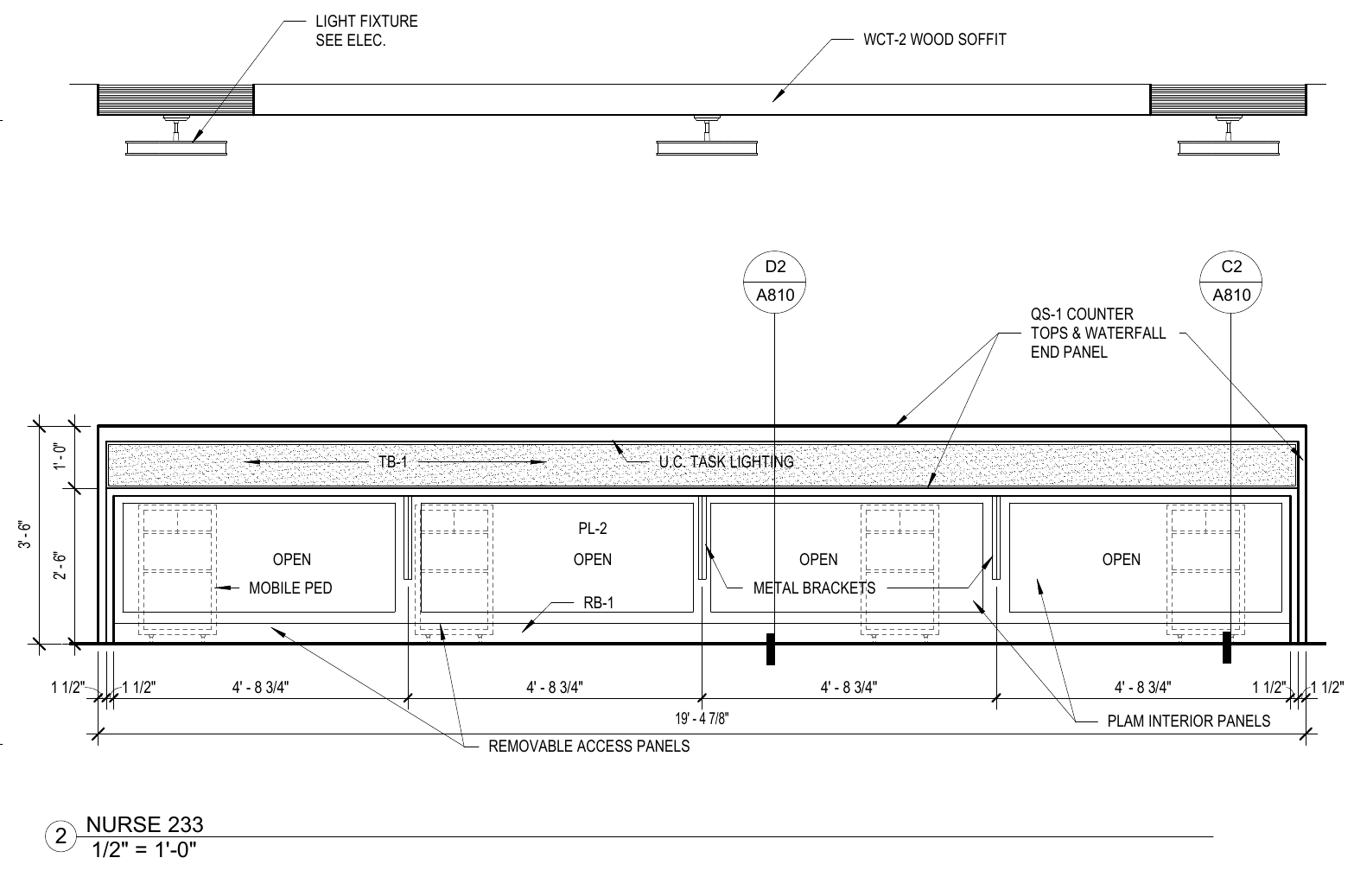 Read the source notes ↗
Repair the drawing relationships
DeepTakeoff lets you add missing Callouts and replace incorrect targets on the drawing. Correct the relationship once, with the source in view.
Saving a Section-reference correction rebuilds the affected interpretation. You can inspect the resulting construction and takeoff before accepting the change.
Plan → Elevation
Review the marker’s position, direction, and target. Correct the references that determine which drawings belong to each Room.
Elevation → Section
Add a missing Section reference or replace a wrong target. A detected Section can become part of the project when it is referenced.
Project review
Bid Readiness gathers missing references, ambiguous ownership, takeoff issues, and pricing conflicts with links to the affected work. Supported AI corrections can be attempted and checked there; decisions that need your judgment remain visible.
Explore Bid ReadinessThe construction becomes the estimate
DeepTakeoff derives parts from the construction, resolves material requirements against your configuration, and applies your pricing rules. Review quantities and costs by location, then generate the quote and handoff.
Try the example estimateThe complete workflow
See how drawing discovery, Room ownership, construction, material requirements, and review decisions become a project your shop can price.
Explore how it worksCommercial cabinetry, countertops, wall shelves, cubby grids, and related architectural millwork. DeepTakeoff uses the construction evidence to distinguish cabinets, open support zones, removable panels, and other assemblies in the takeoff.
See construction examples ↗A project from PDF intake through drawing discovery, takeoff, review, and quoting. You can inspect the source behind the output, see how corrections propagate, and evaluate the pricing and export workflows.
Yes. Configure the materials, labor, hardware, and pricing rules your shop uses. Drawing codes resolve to that configuration. Review costs and apply your chosen markup when generating the quote.
AI locates drawings, assesses relevance, reads Callouts and specification evidence, and builds takeoff facts. Confident scope answers can be recorded automatically. Supported Section-reference and takeoff corrections can be checked against the rebuilt result. You control shop configuration, scope decisions, exceptions, and final approval. Source evidence and the author of changes remain available.
DeepTakeoff prepares the takeoff, estimate, and handoff. CabinetVision ORD export uses your configured catalog; review the imported job in CabinetVision. ERPNext sync sends a quotation through your configured connection after preview and approval checks.
Review can continue while issues remain. Draft documents are available when the underlying data supports them; missing prices or conflicting evidence can prevent generation. Bid Readiness keeps unresolved findings available before approval.
Product demo
Watch the software locate drawings, build the takeoff, and price the work. Inspect its sources and see the review controls in use.